What is Handshake
Quick Start
- Step 1: Have a profile on https://cia.joinhandshake.com/edu
- Step 2: Search for an On-campus job and fill out the Experience application
- Step 3: Submit the application to begin & complete the onboarding process BEFORE you begin work.
👉 Pay attention to emails and messages on Handshake to update you with the onboarding progress. The Business Office may need you to complete payroll information. Have copies of I.D. and banking information available
👉 Link to full tutorial if stuck.
Step-by-Step Tutorial
Key Terms
Experience: The workflow and onboarding process for available work-study positions. Student will look to complete the Federal Work-Study Experiential Learning Agreement.
Organization: This is the employer / immediate supervisor for the available work-study position.
Reviewer: An individual involved in approving or evaluating the experience submitted by a student. This may include faculty, employer supervisors, or career services.
Evaluations: These are surveys that can be automatically sent to students and reviewers at the halfway point or at the end of the term.
Experience Status: An experience may be pending, in-progress, needs review, approved, declined, and completed. No student can begin working until their Experience status is completed.
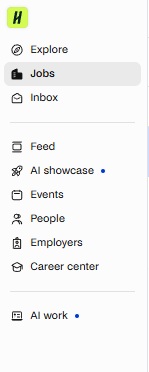
In Handshake, students can use the menu on the left side (Profile) and select Jobs.
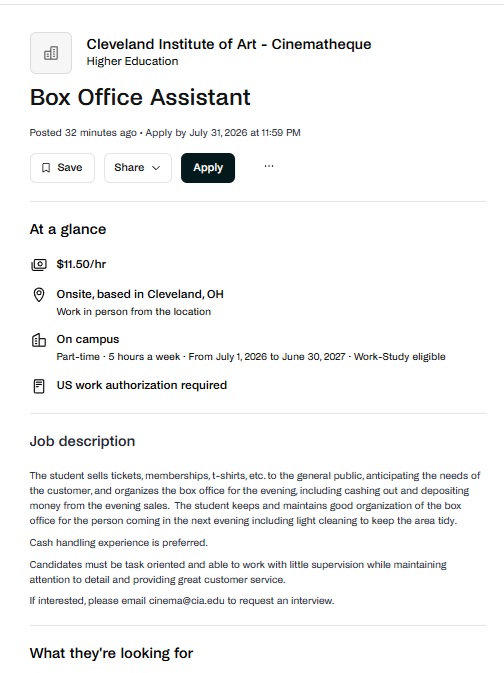
Utilize the Filters to search for Work Study jobs. Select the job to view full details. See example below:
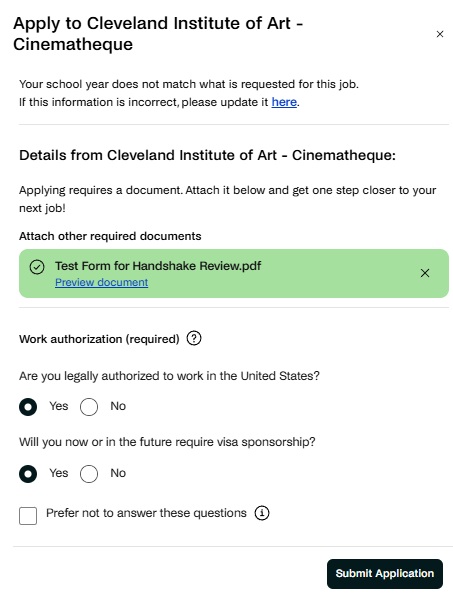
Click Apply. Upload any requested documentation and complete the required work authorizations, then Submit Application. See example below:
Intent to Hire Email
Students that are to be hired for a work-study job should receive an email from Intent to Hire Form (Federal Work-Study Program) <[email protected]>, with the subject line: Work Study - New Intent to Hire. This will outline the following details:
- Immediate Supervisor
- Confirmed department / position
- Begin Date
- Steps to complete before work begins
Creating An Experience (FWS Agreement)
Log in to Handshake.
Once you’re logged in, Begin by selecting Career Center from your profile and then select Experiences then select Submit an Experience.
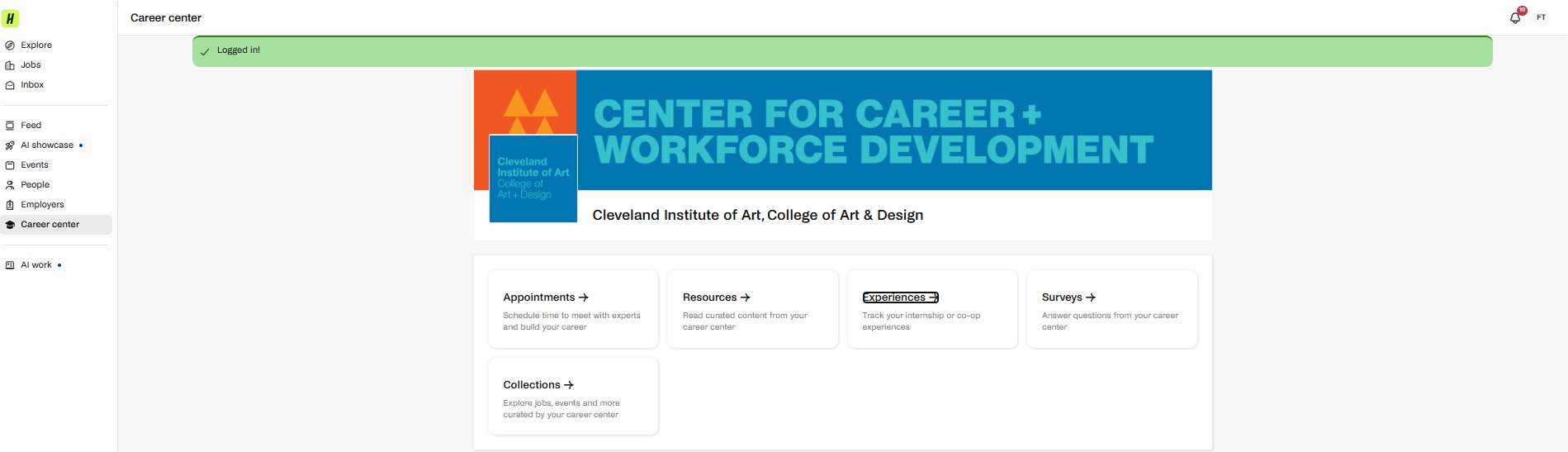
From the drop-down menu of templates, select the Federal Work-Study Experiential Learning Agreement from the Experience Template.
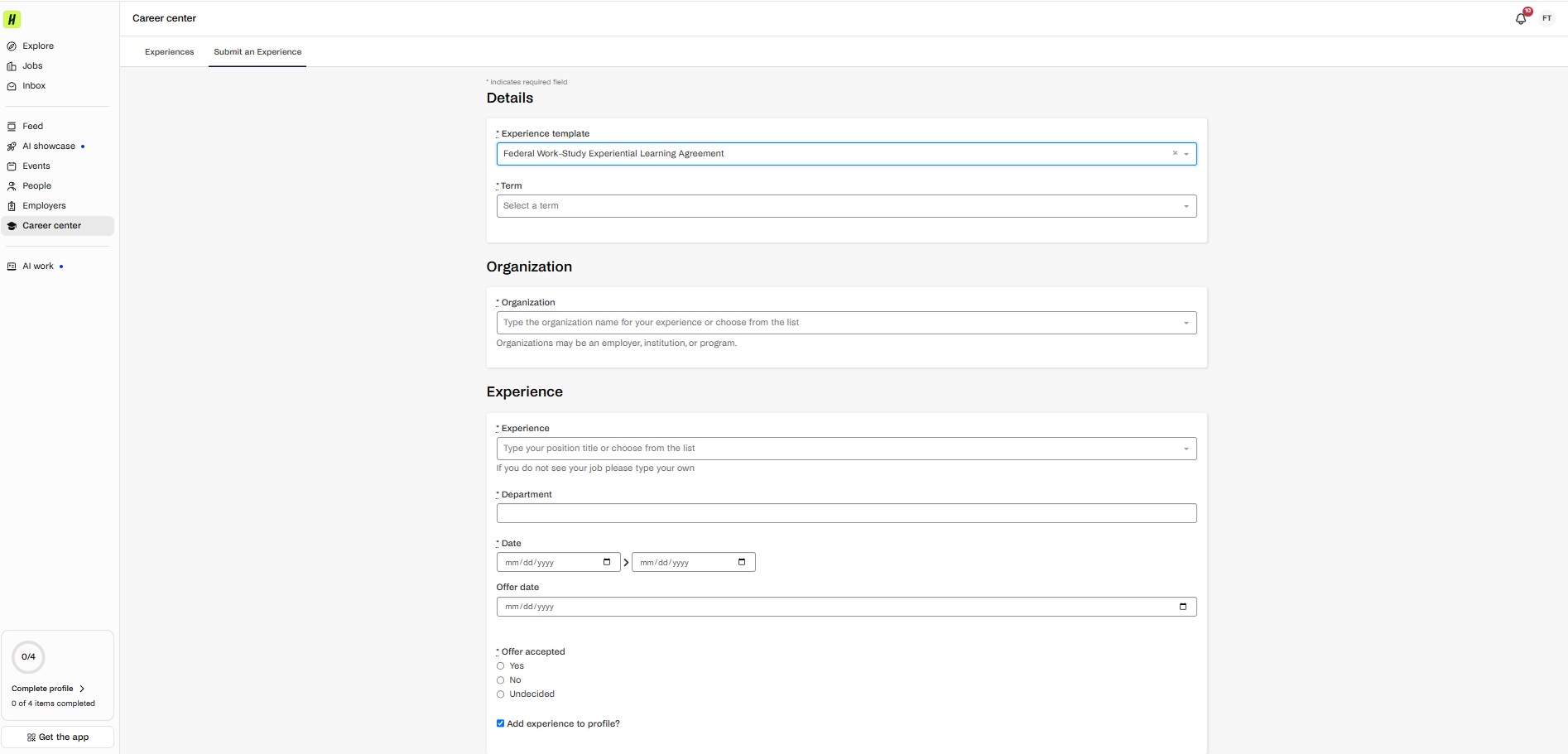
Term: Select the current term that aligns with the begin date from the New Intent to Hire email.
Organization
Organization: Start typing "Cleveland Institute of Art" and listing of departments will appear for selection of the available work-study position.
Experience
Experience: The work study position, cited in the New Intent to Hire email. If the position cannot be selected, type it in the field.
Department: The work study department, cited in the New Intent to Hire email. If the department cannot be selected, type it in the field.
Date: This range should the beginning date, cited in the New Intent to Hire email and ending with the end of the current academic year (June 30).
Offer Date: Use the date your supervisor hopes of having a student begin, cited in the New Intent to Hire email.
Offer Accepted: If received the New Intent to Hire email, select Yes
Reviewer Contact Information

Use the supervisor's school email address, ending in "@cia.edu".
General
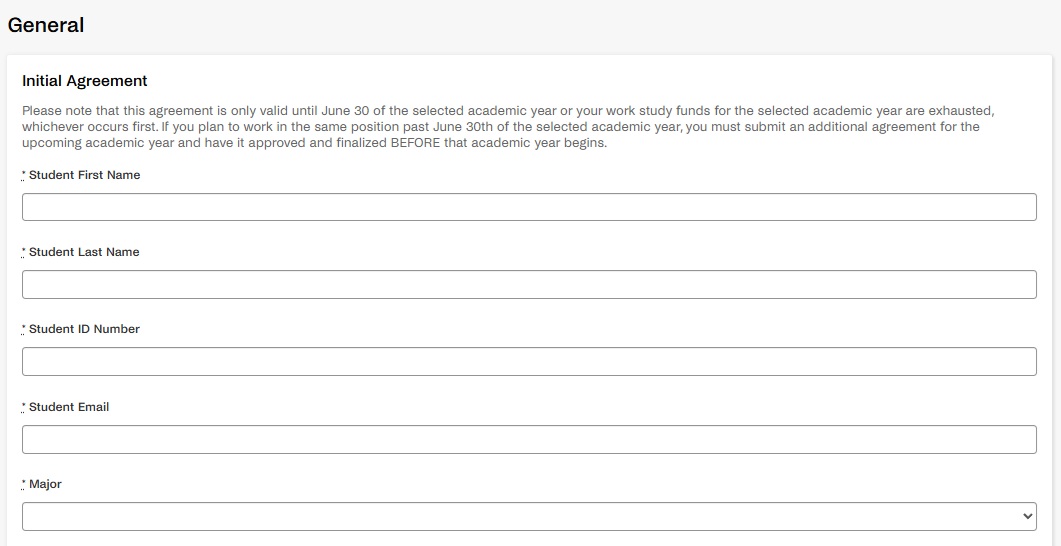
It may appear repetitive, but entering student contact information ensure accuracy with the Initial Agreement and overall approval process
Students can select as many of the choices that they wish to develop and/or strengthen through their work-study position:
- Critical Thinking / Problem Solving
- Written Communication
- Oral Communication
- Teamwork / Collaboration
- Using / Learning Technology
- Leadership
- Professionalism
- Work Ethic
- Self-Awareness
- Respect / Awareness for others and their beliefs / culture
The goal is for students to focus & track progress on the choices selected with their supervisor throughout the year.
Before submission, students should review the acknowledgements & agreements the seven (7) statements provided
- Accepting the listed position as part of their Financial Aid Award.
- Not exceed the earnings limit, work more than two (2) work study jobs at a time or more than 20 hours a week while school is in session or more than 30 hours a week during academic breaks.
- Possible termination if students fail to perform duties in a satisfactory manner.
- Possible termination if students fail to make Satisfactory Academic Progress (SAP) or fall below 6 credits per semester.
- Possible termination if students fail to for falsifying timesheets.
- Complete the following forms in Career Services BEFORE starting work. Failure to do so will result in a pay delay:
- I-9 form
- Tax forms
- Direct deposit form.
- NOTE: returning work study students may already have tax documents on file. Confirm with Career Services.
- FWS agreement is only valid until:
- June 30th of the selected academic year OR...
- Work study funds awarded for the selected academic year have been exhausted. Whichever occurs first.
What a Student Receives After Submitting an Experience Request:
An approval Workflow will begin. Emails will be sent to student as request progresses and tracking of progress can be viewed on a student's account in Handshake. Students must ensure the correct term / year were selected as the start for employment.
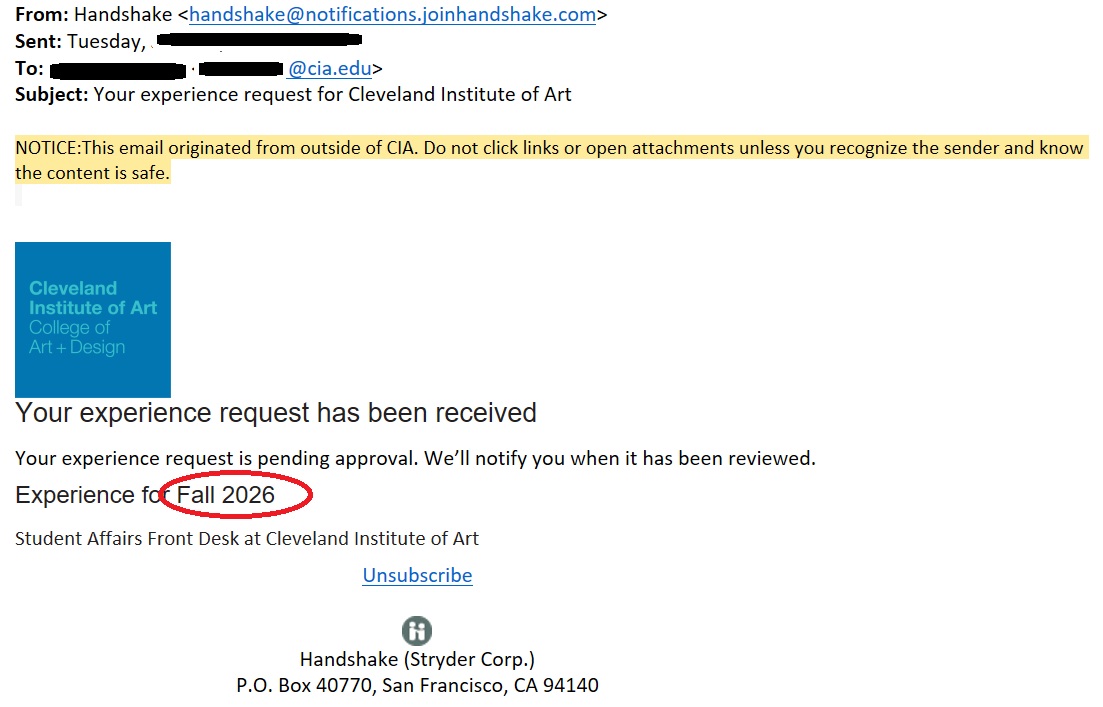
Experience Request Approval Workflow
After a Student submits a request, it is reviewed in the following order. Each reviewer must approve before the request progresses to the next step. The approval process is given a seven (7) to 10 business day window.
- FWS Coordinator in Financial Aid - to confirm eligibility and acceptance of FWS aid.
- Organization Supervisor - to affirm hiring and pay rate
- Business Affairs - to complete W4 and payroll filing
- FWS Coordinator in Financial Aid - to finalize request
When the request meets full approval, students can begin working. Students can view the progress of the approval workflow in their Handshake account. Students are responsible for following up with any comments posted by any reviewer requesting additional information.
Troubleshooting
- Career Services at 216.421.8073 or [email protected]
- Financial Aid at 216.421.7423 or [email protected]